-
Courses

Courses
Choosing a course is one of the most important decisions you'll ever make! View our courses and see what our students and lecturers have to say about the courses you are interested in at the links below.
-
University Life

University Life
Each year more than 4,000 choose University of Galway as their University of choice. Find out what life at University of Galway is all about here.
-
About University of Galway

About University of Galway
Since 1845, University of Galway has been sharing the highest quality teaching and research with Ireland and the world. Find out what makes our University so special – from our distinguished history to the latest news and campus developments.
-
Colleges & Schools

Colleges & Schools
University of Galway has earned international recognition as a research-led university with a commitment to top quality teaching across a range of key areas of expertise.
-
Research & Innovation

Research & Innovation
University of Galway’s vibrant research community take on some of the most pressing challenges of our times.
-
Business & Industry
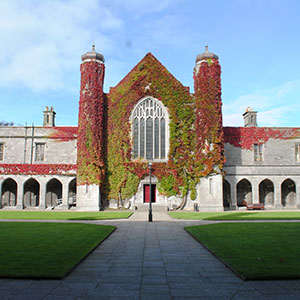
Guiding Breakthrough Research at University of Galway
We explore and facilitate commercial opportunities for the research community at University of Galway, as well as facilitating industry partnership.
-
Alumni & Friends

Alumni & Friends
There are 128,000 University of Galway alumni worldwide. Stay connected to your alumni community! Join our social networks and update your details online.
-
Community Engagement

Community Engagement
At University of Galway, we believe that the best learning takes place when you apply what you learn in a real world context. That's why many of our courses include work placements or community projects.
 Accessibility & Language
Leavers & Resignation Procedure
Procedure When Ending Employment
All managers and employees — including those paid by timesheet — must follow the HR leaving/resignation procedure to ensure the leaving process is completed correctly.
HR Leavers Checklist
Each employee must complete HR leavers checklist on/before your last day at work.
For more information, please refer to: HR Leavers Checklist
Salary‑Paid Staff: Resignation Process
Academic Staff
Academic staff should complete the Retirement and Resignation Form (Academic Staff) and provide three months’ notice, with the notice period ending on the last day of a lecture semester (31 December or 30 June).
Non‑Academic Staff
Non‑academic staff should complete the Retirement and Resignation Form (Non‑Academic Staff) and provide one month’s notice.
For full details and forms, please see the HR resignation process
Teaching Support Staff: Resignation Process
HR will cease your employment based on the end date stated in your contract.
If this date changes, please notify HR at hrta@universityofgalway.ie at least one month in advance.
If you are paid by timesheet, you must:
- Submit your final timesheet in the month you last worked.
- Ensure all payments are received no later than the month following your leaving date.
Student Ambassador: Resignation Process
Student Ambassadors do not have fixed hours and are paid by timesheet. If you do not notify HR of your final working date, HR may not know whether you intend to return. In this situation, Revenue requires that:
- If you have not been paid in three months, the University must end you on the HR/Payroll system and report your leaving date to Revenue, which must be recorded as the last day you worked.
Why Reporting the Correct Leaving Date Matters
The University must formally cease employment on the HR/Payroll system to update Revenue and Social Welfare. This is important because:
- It ensures you are taxed correctly in any future or concurrent employment.
- It allows you to claim a tax and USC refund if unemployed.
- It reduces delays and additional paperwork when applying for Social Welfare benefits.
- It keeps your employment records accurate and up to date for tax and welfare purposes.
Accessing and Saving Payslips Prior to Leaving the University
Please download and save any payslips you may need for your records. We recommend retaining:
- The last payslip from each of the previous years (ex. December payslip for each year)
- The most recent payslips prior to your final payment (ex. the last 6-12 months)
Access to Core Portal:
- Access to all menus — except payslips — ends on your final day of employment.
- You can continue to access payslips online for 30 days after your leaving date.
- After 30 days, payslips will no longer be accessible.
For more information, please refer to: